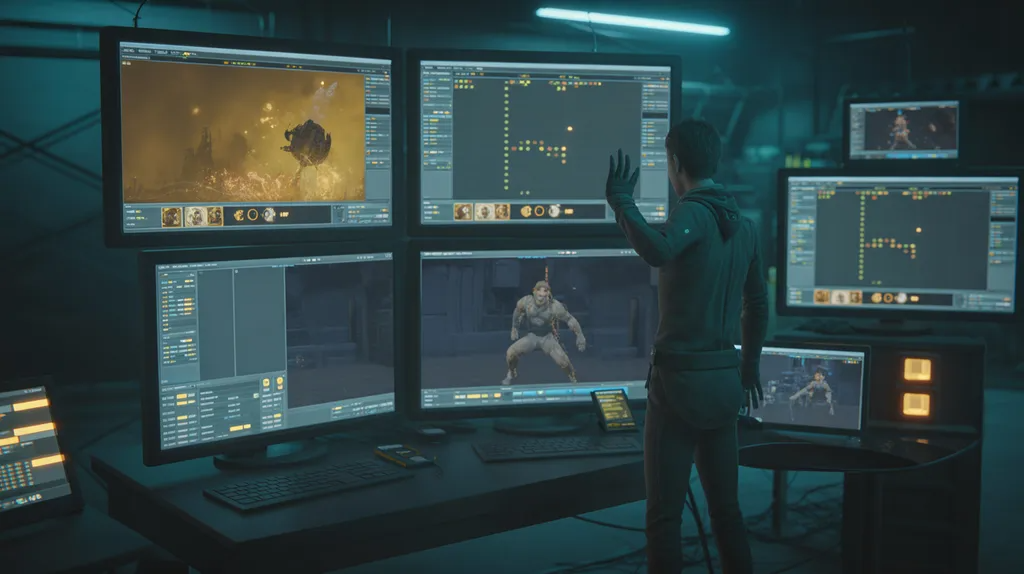

Have you ever imported a custom 3D asset into Source Filmmaker only to find a glaring purple-and-black checkerboard instead of your character? It is a rite of passage for almost every digital artist.
The secret to bringing custom creations to life lies in mastering the sfm compile process.
At its core, compilation acts as a bridge between standard 3D files (like OBJ or FBX) and the strict structural language of Valve’s Source Engine. This guide walks you through the essential tools, file types, and workflows needed to get your assets rendering smoothly without a hitch.
What Does SFM Compile Mean?
The Source Engine cannot read raw 3D mesh files straight out of software like Blender or Maya. An sfm compile procedure takes source components—such as .smd or .dmx meshes, .vtf textures, and animation sequences—and binds them into readable formats like .mdl.
Think of it as translating an foreign dialect into a native language your workspace understands. Without this step, the engine rejects the asset entirely.
Essential Software for the Workflow
- Crowbar: A community favorite GUI tool that simplifies compiling and decompiling without raw command-line entry.
- Studiomdl.exe: Valve’s official command-line utility hidden inside your SFM installation directory (
binfolder). - Blender: A free 3D creation suite used to rig models and export compatible reference meshes.
Setting Up Your Asset Pipeline
Before running a compiler, you need an organized directory structure. The Source Engine relies heavily on precise file paths to locate materials and physics models.
1. File Organization
Create a dedicated working folder mirroring the Source SDK layout. Keep your meshes (.smd), material configurations (.vmt and .vtf), and compilation scripts grouped logically.
2. Crafting the QC Script
The .qc file serves as the instruction manual for the compiler. It tells studiomdl where to find files, how to map textures, and what physics properties to apply. A basic structure includes:
$modelname: Specifies the final output path and file name.$body: Points to your reference mesh file.$cdmaterials: Directs the engine to your texture folder.$collisionmodel: References your simplified physics mesh.
Step-by-Step: How to Run an SFM Compile
Once your assets and QC script are ready, you can execute the compilation. Most creators prefer using Crowbar for its visual feedback, though advanced users lean on the terminal.
- Step 1: Open Crowbar and navigate to the Compile tab.
- Step 2: Set your game directory to your Source Filmmaker installation path.
- Step 3: Browse and select your
.qcscript file. - Step 4: Click Compile and monitor the log window for error alerts.
- Step 5: Launch SFM or the Model Viewer (
hlmv.exe) to test your new model.
Troubleshooting Common Compilation Errors
Even experienced artists run into snags during an sfm compile. Keeping an eye out for these frequent pitfalls saves hours of troubleshooting:
- Pink and Black Textures: Usually caused by incorrect
$cdmaterialspaths or uncompiled.vtffiles. Double-check that your material paths use forward slashes (/) instead of backslashes. - Missing Physics/VVD Errors: Ensure your reference mesh, vertex data, and physics
.phyfiles exported cleanly from your 3D modeling software. - Crashes Upon Loading: High polygon counts can overwhelm the engine. Try keeping individual props under sensible limits and verify your bone weights.
Frequently Asked Questions
What file formats does SFM Compile accept?
The compiler processes reference meshes saved as .smd or .dmx, controlled by a text-based .qc script. It generates runtime files including .mdl, .vvd, .vtx, and .phy.
Why are my textures showing up as a checkerboard pattern?
This error means the Source Engine cannot locate the associated material files. Ensure your texture paths inside the QC file match your folder hierarchy precisely.
Is Crowbar better than using the command line?
Crowbar provides a user-friendly graphical interface that logs errors clearly, making it ideal for beginners and batch processing. However, both tools rely on the same underlying studiomdl.exe compiler.
Conclusion
Mastering the sfm compile workflow opens up endless possibilities for custom animation projects in Source Filmmaker. By properly structuring your folders, writing accurate QC scripts, and utilizing tools like Crowbar, you can bypass frustrating errors and get straight to animating. Take what you’ve learned here, try compiling your first simple prop, and elevate your 3D rendering projects today!
Also Visit My Travel Website: To Visit Vuzillfotsps: Discover Hidden Travel Magic